# Chitai - eBook Library Management
eBook library management application.
- Backend built with Python and Litestar
- Frontend built with Svelte 5 and SvelteKit
 ## Key Features
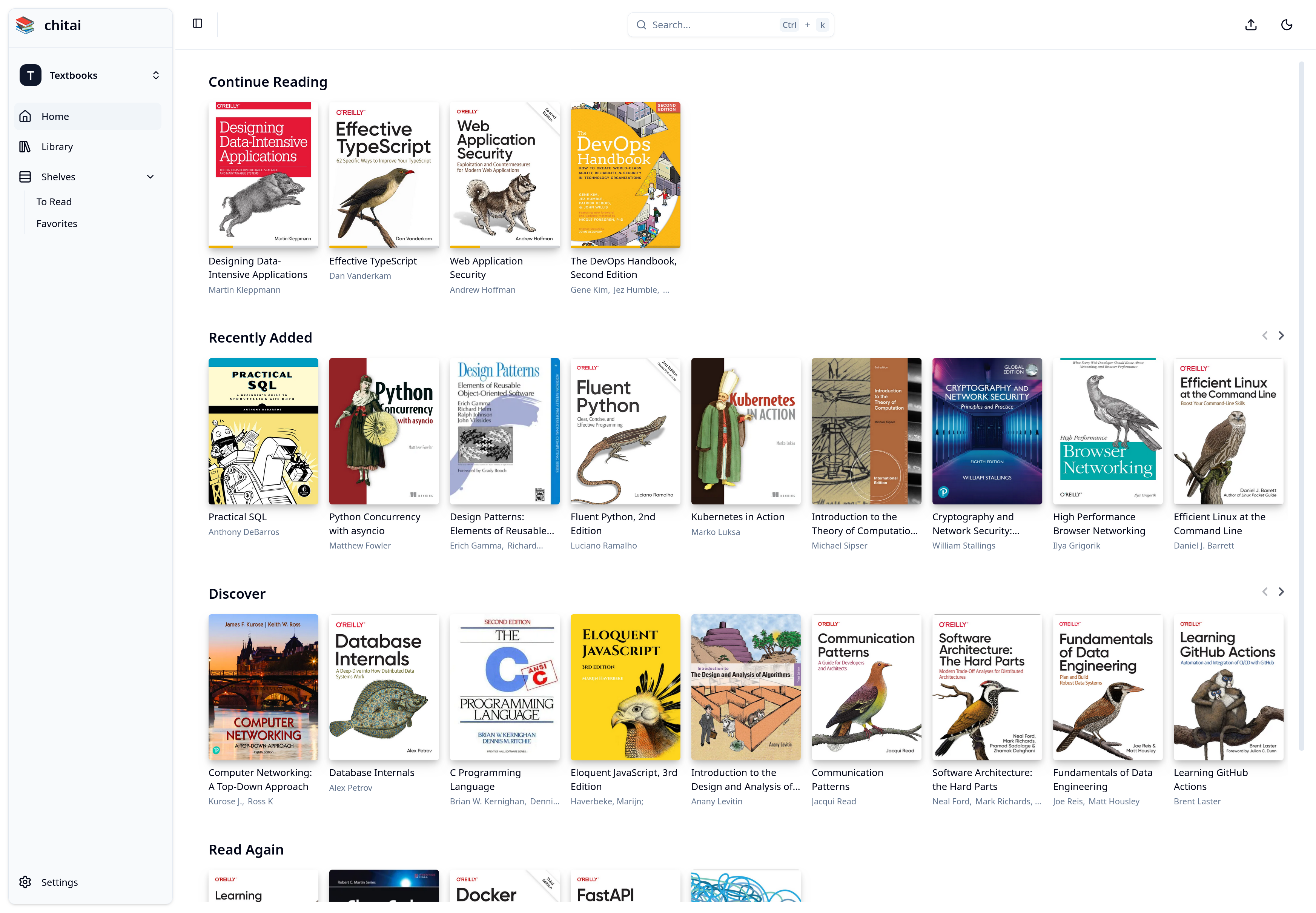
* **Libraries:** Organize your eBooks into customizable libraries.
* **Book Upload:** Easily upload eBook files in common formats, with automatic metadata extraction.
* **Personalized Bookshelves:** Create and manage custom bookshelves (lists) within your libraries to categorize your eBooks.
* **Built-in Readers:** Integrated readers for EPUB and PDF files.
* **Progress Tracking:** Monitor your reading progress within each book.
* **Search Functionality:** Quickly find books based on title.
## Getting Started
### Prerequisites
* Docker
* Docker Compose
* (Optional) A text editor for modifying the `.env` file.
### Installation (Production Deployment)
1. Clone the repository: `git clone ` (Replace `` with the actual URL)
2. Navigate to the project root: `cd chitai`
3. Build the Docker images: `docker compose build`
4. Copy the example environment file and configure: `cp .env.prod-example .env`
5. Run the Docker containers in detached mode: `docker compose up -d`
6. Access the frontend at: `http://localhost:3000/`
## Development
### NixOS Development Environment
To utilize the NixOS development environment:
1. Navigate to the project root in your terminal: `cd chitai`
2. Enter the Nix shell: `nix-shell`
Docker development containers are planned for a future release.
## Key Features
* **Libraries:** Organize your eBooks into customizable libraries.
* **Book Upload:** Easily upload eBook files in common formats, with automatic metadata extraction.
* **Personalized Bookshelves:** Create and manage custom bookshelves (lists) within your libraries to categorize your eBooks.
* **Built-in Readers:** Integrated readers for EPUB and PDF files.
* **Progress Tracking:** Monitor your reading progress within each book.
* **Search Functionality:** Quickly find books based on title.
## Getting Started
### Prerequisites
* Docker
* Docker Compose
* (Optional) A text editor for modifying the `.env` file.
### Installation (Production Deployment)
1. Clone the repository: `git clone ` (Replace `` with the actual URL)
2. Navigate to the project root: `cd chitai`
3. Build the Docker images: `docker compose build`
4. Copy the example environment file and configure: `cp .env.prod-example .env`
5. Run the Docker containers in detached mode: `docker compose up -d`
6. Access the frontend at: `http://localhost:3000/`
## Development
### NixOS Development Environment
To utilize the NixOS development environment:
1. Navigate to the project root in your terminal: `cd chitai`
2. Enter the Nix shell: `nix-shell`
Docker development containers are planned for a future release.